Visual Knowledge Map
INDUSTRY:
E-LEARNING
CLIENT:
NETWORKING TECHNOLOGY LEADER
YEAR:
2016
ROLE:
UI/UX DESIGN LEAD
The Backstory
Back in early 2014, I joined a project for a cloud-based eLearning platform that combined content management, business analytics, and social features. The goal: give users a visual way to explore knowledge and achieve their development goals.
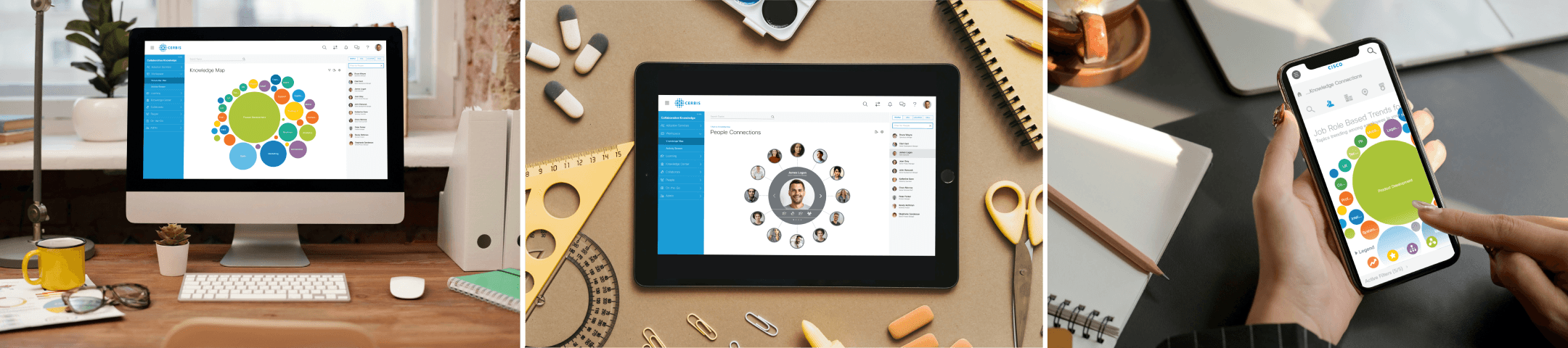
My focus was leading the UI design for a new key feature, Visual Knowledge Map (VKM)—a visual journey to navigate the platform.
The Idea
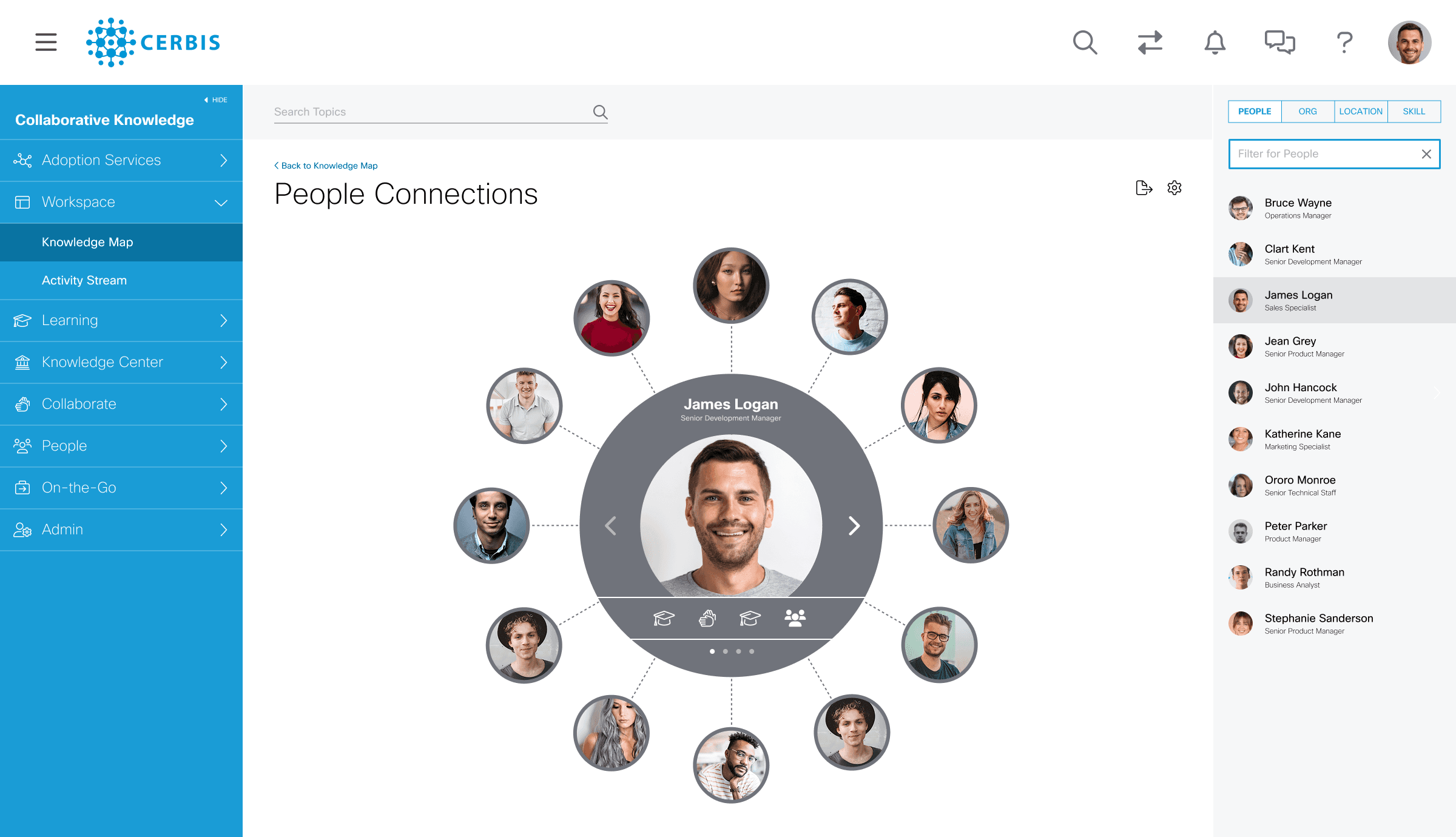
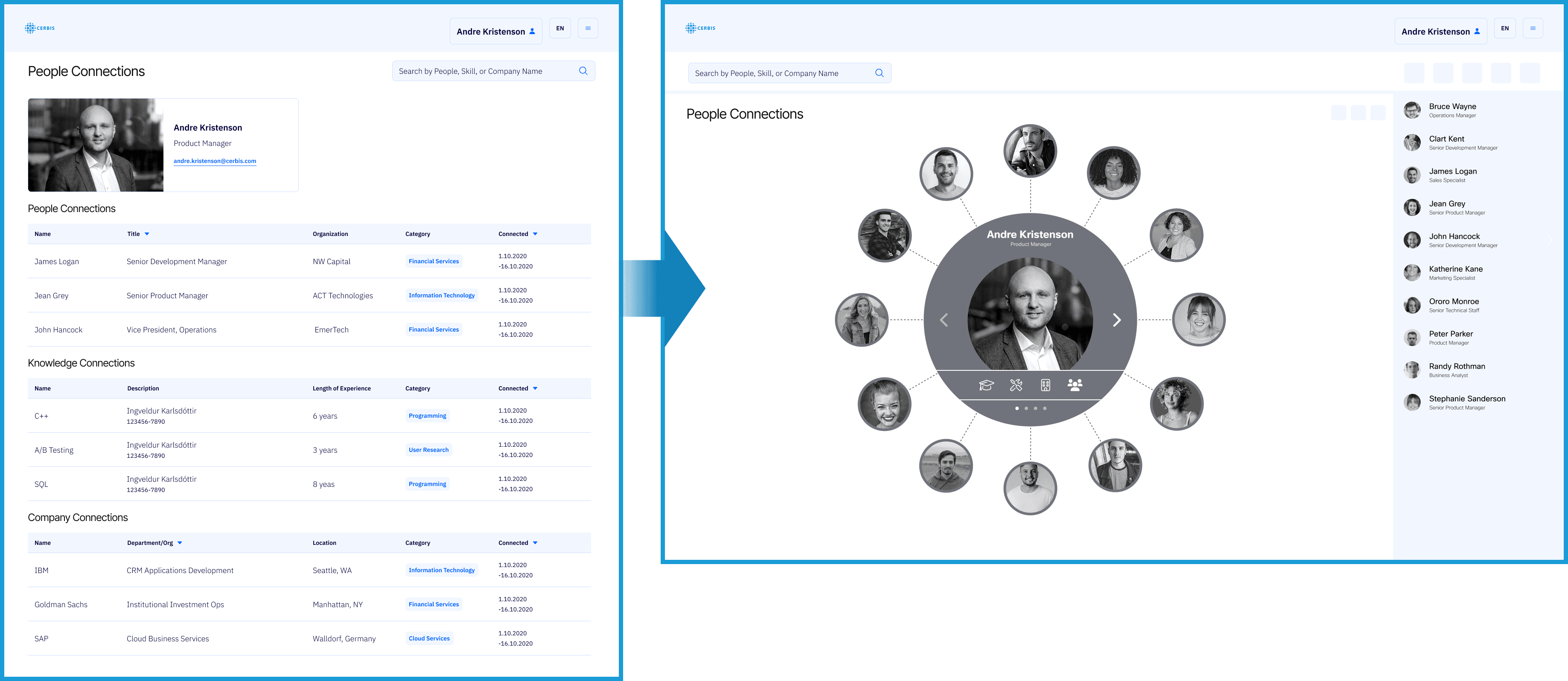
I wanted to move away from boring lists or tables. Instead, the solution was a graphical, node-based layout: the user sits at the center, surrounded by categories and connections, which can be clicked to reveal details. This approach:
Highlights multi-dimensional social relationships
Keeps the interface intuitive and easy to explore
Works across mobile and desktop devices
Final design: a graphical “sphere” of social connections , where each node can be clicked for details. Mobile-first and fully responsive.
The Challenges
The feature had to stand out while fitting seamlessly into the platform.
Interface had to be simple and intuitive, giving users quick access to information.
Content needed to scale across devices.
Tight timeline: design had to be completed in about three months.

The Design Journey
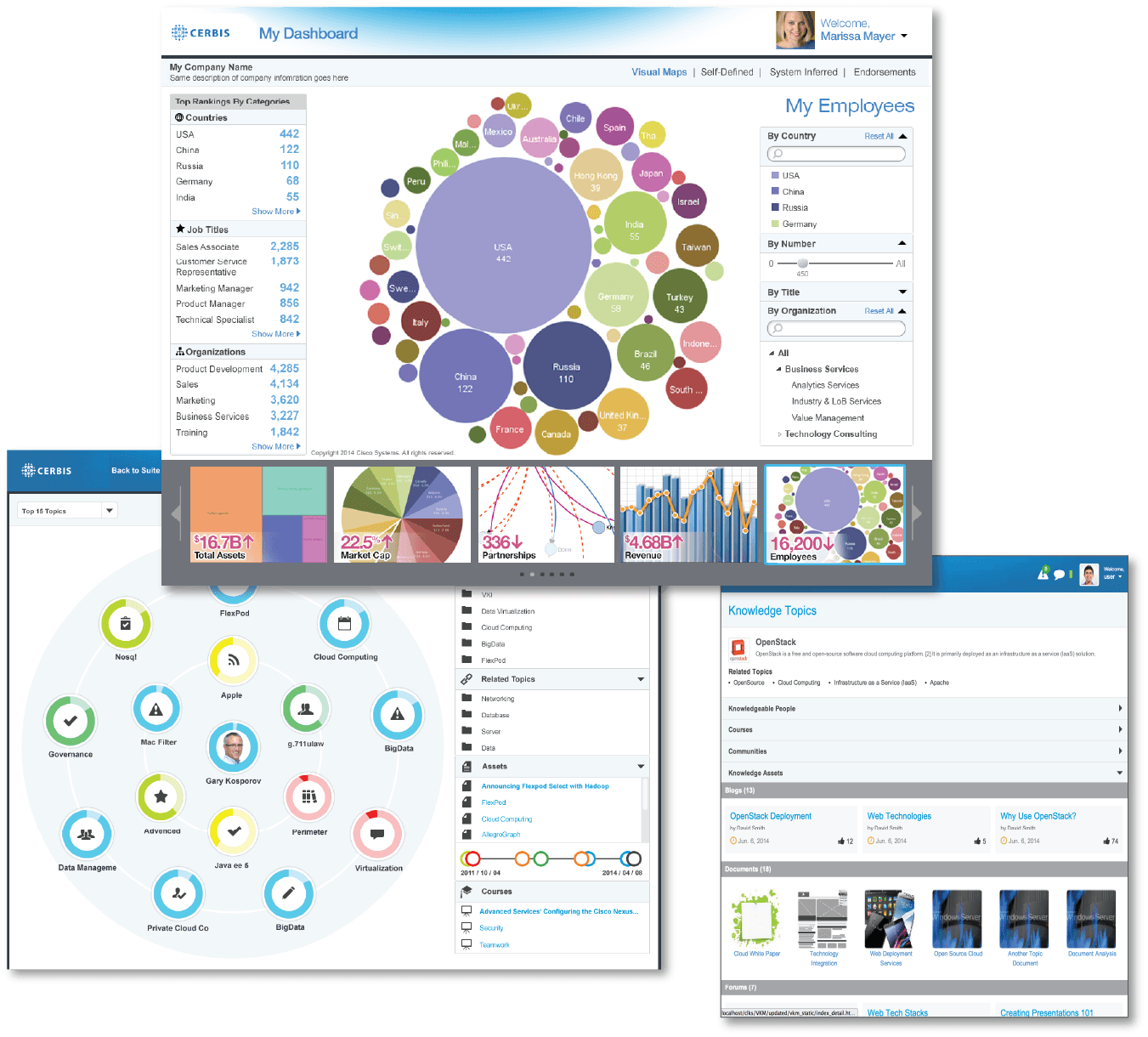
Research: competitive analysis, inspiration from dashboards and social media layouts.

Early mockups: dashboard-style charts, which stakeholders felt needed simplification and better visual integration.
The Validation
Validation focused on measuring how the visual framework improved information discovery, comprehension, and motivation to learn.
Insights
One participant commented: “It feels like exploring a map instead of searching a file tree.”
Visual hierarchy made concepts more memorable.
Dense clusters created minor cognitive friction.
Impact Summary
Increased discoverability by 35%, +22% satisfaction uplift.
Users found content faster and were more likely to return.
Visual map increased exploration and recall
Topic color-coding improved comprehension
Clear hierarchy made navigation intuitive
❌What Didn't
Dense clusters on small screens reduced clarity
Some users unsure of topic hierarchy
Lacked visible progress indicators early on
90%
Task Success
4.1
Clicks
4.4
Usefuless
81%
Return Intent
The Outcome
Feature was well-received by management and got positive feedback from prospective clients.
Marketing frequently highlighted VKM as a unique and innovative selling point for the platform
Lessons
Sometimes the easiest solution isn’t the best. Listing connections in a simple form might be quick to implement, but a graphical approach communicates relationships far more effectively and creates a richer user experience.
Sometimes showing connections is more powerful than listing them—visual design can turn complex relationships into clarity.
Good design is clear thinking made visible.